1
Upload Any Image
Upload any photo, screenshot, or GeoGuessr round. GPS is optional.

Upload a photo, screenshot, or GeoGuessr round to find where it was taken.
Drop your photo here
or click to upload
JPG, PNG, WEBP, HEIC • Max 10MB
Not sure what to upload? Try one of these:
Learn how AI estimates a photo location by analyzing visual clues, geographic context, and supporting evidence.
Upload Any Image
Upload any photo, screenshot, or GeoGuessr round. GPS is optional.
Analyze Geographic Clues
AI examines landmarks, text, architecture, roads, and surroundings to identify geographic signals.
Get Your Location Report
See the most likely location with a confidence score and supporting evidence.
Explore real AI location examples and see how landmarks, text, architecture, road signs, vegetation, and terrain help identify the most likely place where a photo was taken.
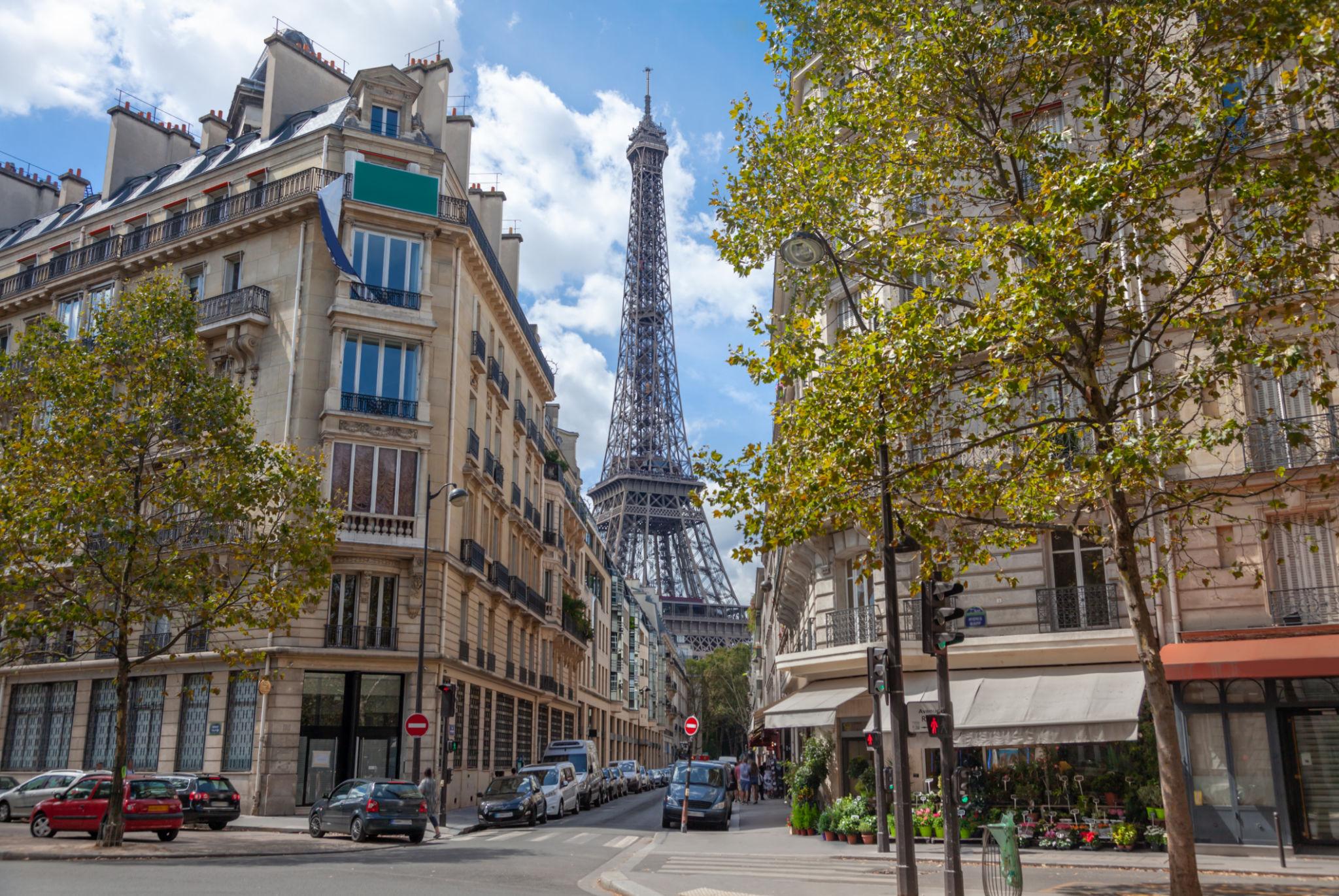
Île-de-France, France
Key Location Clues
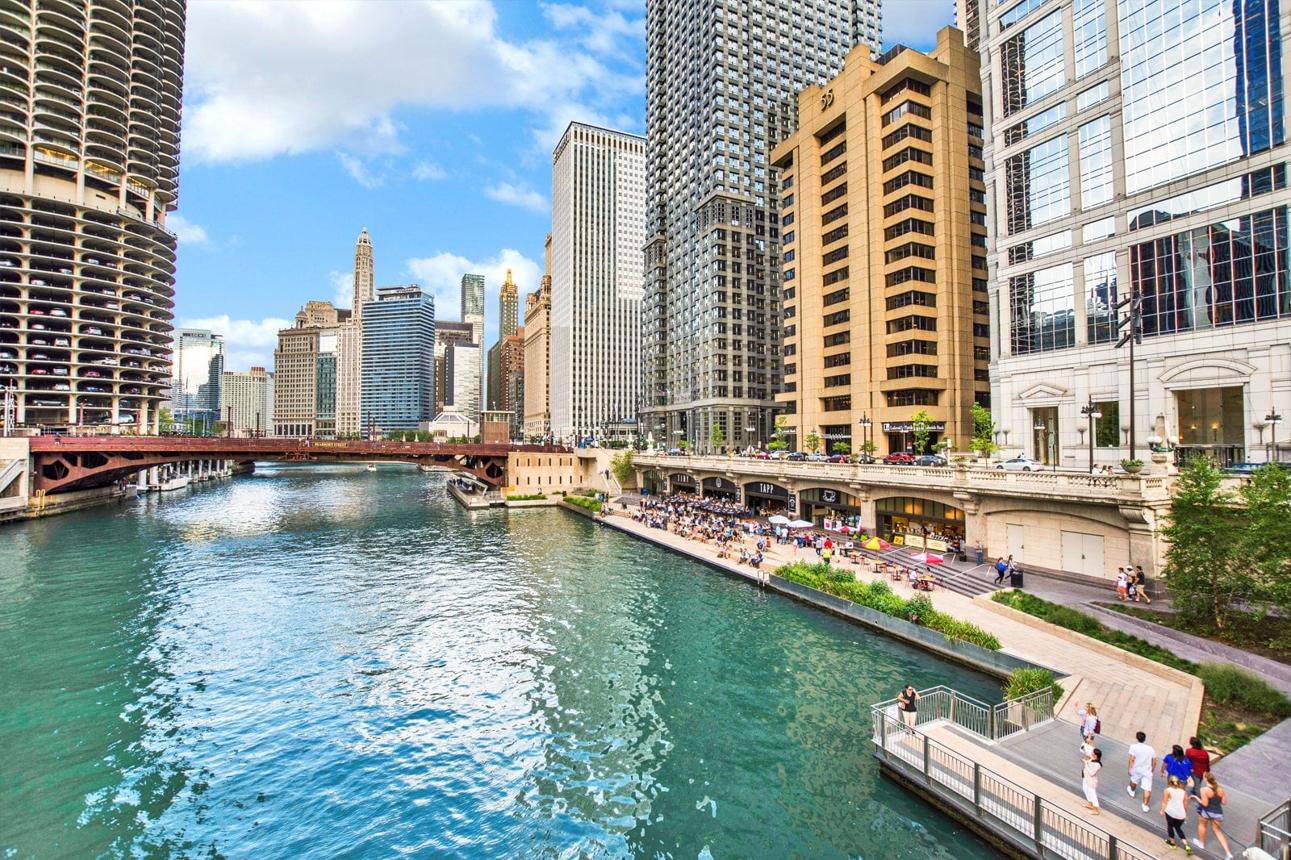
Illinois, United States
Key Location Clues
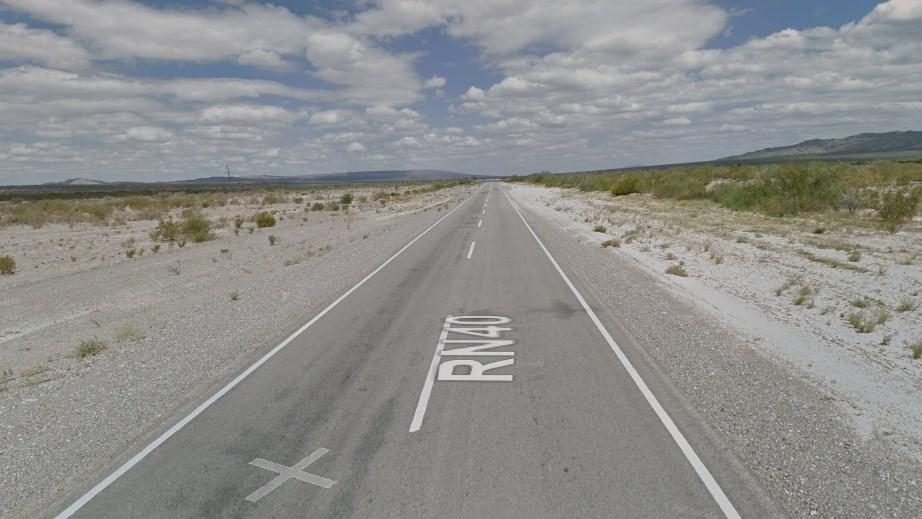
Mendoza, Argentina
Key Location Clues

Discover AI-powered tools to find where photos were taken, analyze image clues, and uncover the locations behind your photos.
Upload a photo or screenshot and let AI analyze visual clues to estimate where it was taken without GPS metadata.
Analyze GeoGuessr screenshots with AI and identify possible locations using roads, signs, landscapes, and geographic clues.
View EXIF data, GPS coordinates, camera information, timestamps, and other hidden photo details online.
Find answers about AI image location detection, accuracy, supported image types, and how to discover where a photo was taken without GPS.